
WatcherOne / Recipient enrollment
Text alerts begin with your choice.
WatcherOne is a product of Watcher Products, Inc. Texts are optional, for US customers, and limited to camera security events. Customers enroll from their own account settings in the web app or supported mobile app. Administrators may suggest a number; the recipient must consent and verify it.
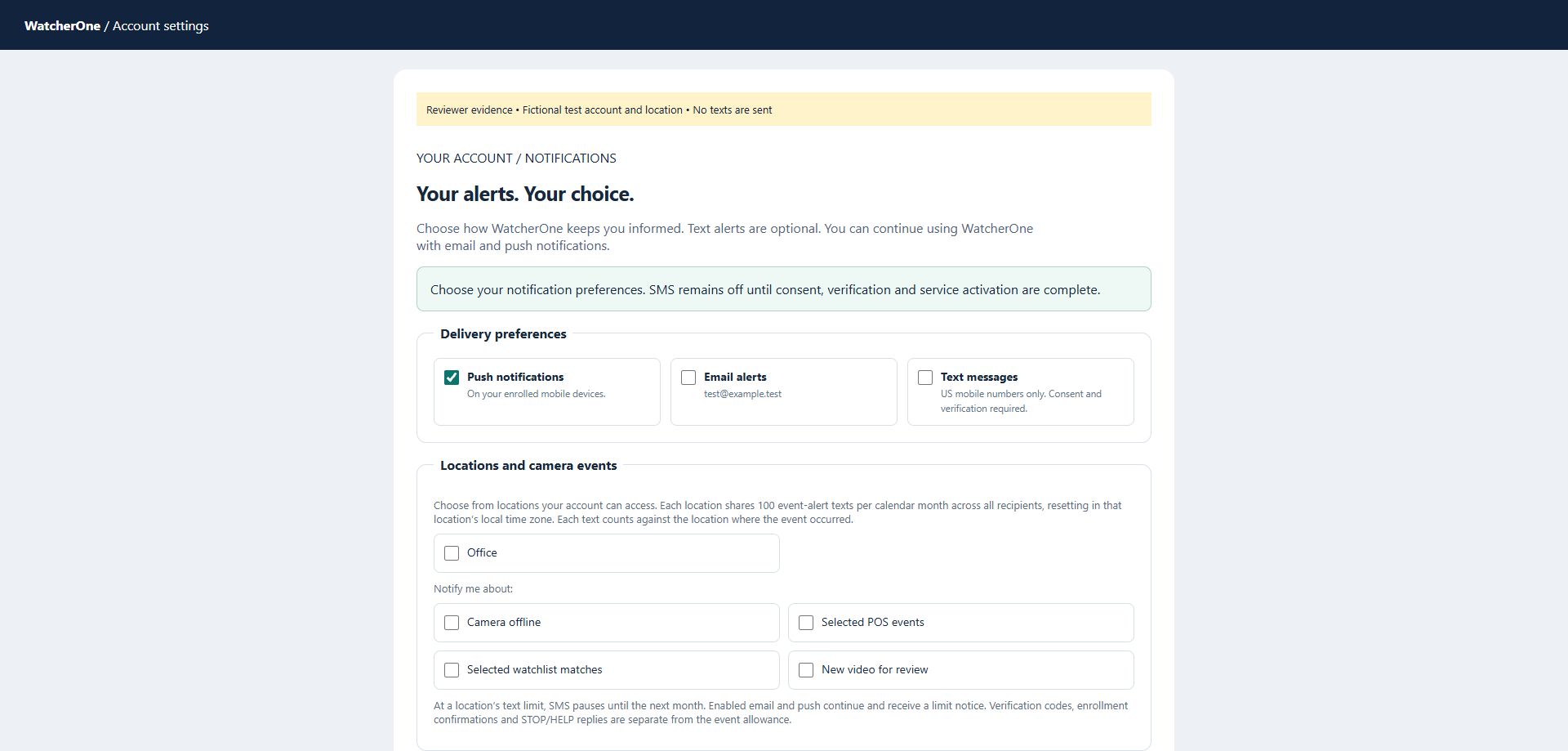
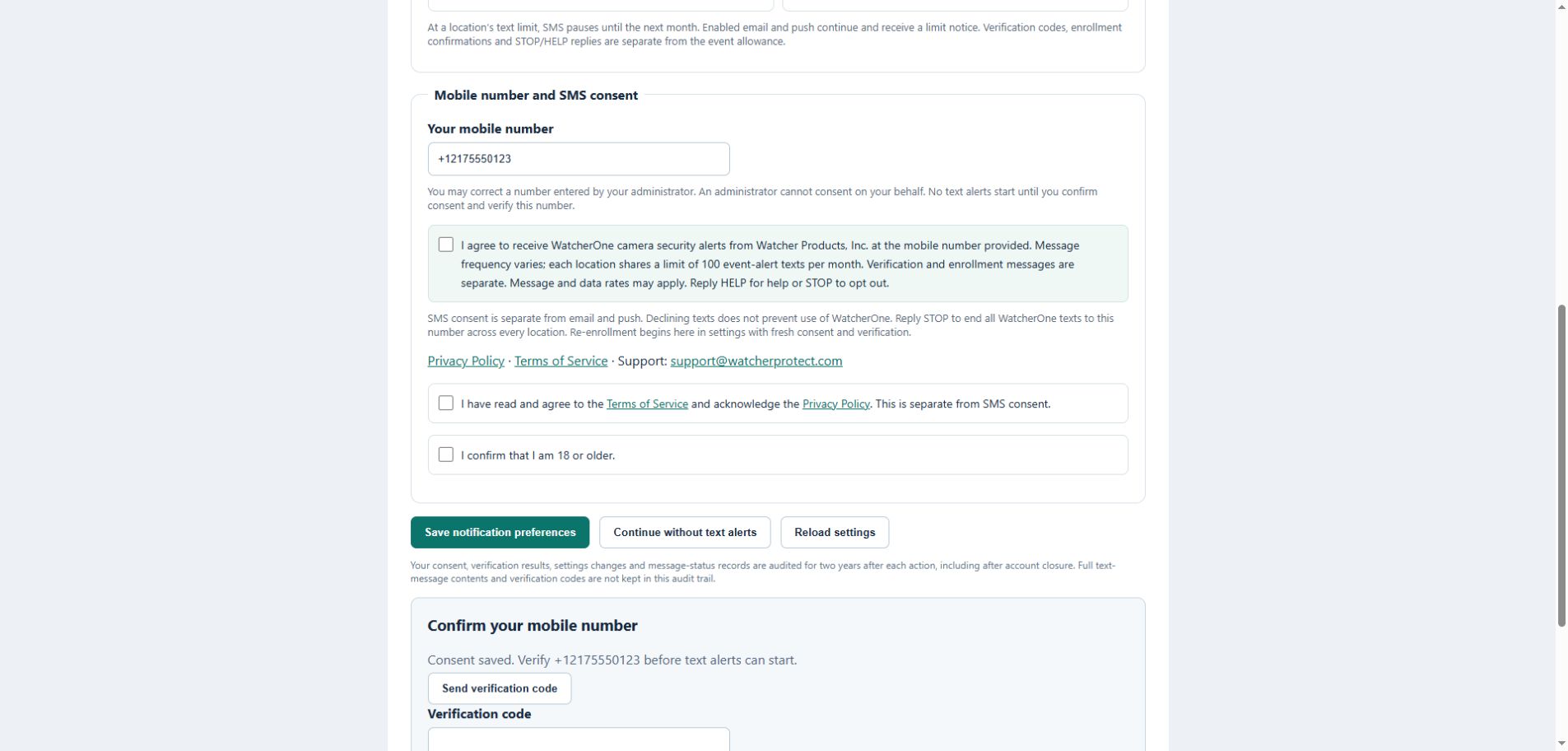
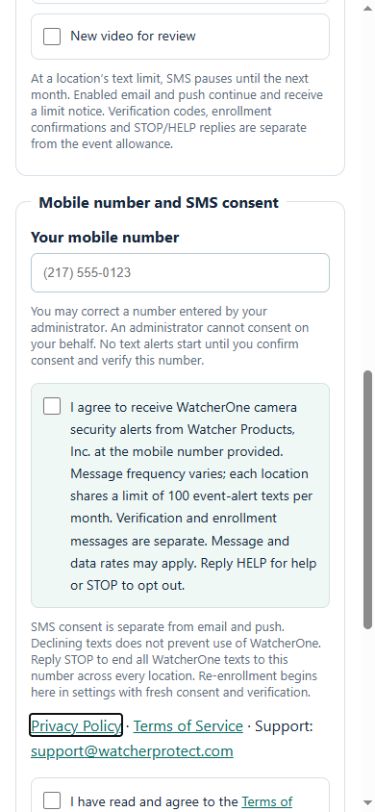
The screens below are captures of the implemented enrollment interface using a test account. They contain no real customer information. The confirmation screen records consent and requires verification; it is not evidence that a text was sent or that carrier approval has been granted.
How enrollment works
- Sign in to your own WatcherOne account and open notification settings.
- Select the locations, event types and channels you want. Correct or enter your mobile number.
- Select the separate, unchecked SMS consent box. Agree to Terms/Privacy separately and confirm you are 18 or older. SMS is optional.
- Save your preferences, then request and enter a verification code. Event texts remain inactive until verification, activation and the enrollment confirmation are complete.
- Reply STOP to stop texts globally. Re-enrollment starts in settings with fresh consent and verification; START only removes the provider block when required.
SMS consent disclosure
I agree to receive WatcherOne camera security alerts from Watcher Products, Inc. at the mobile number provided. Message frequency varies; each location shares a limit of 100 event-alert texts per month. Verification and enrollment messages are separate. Message and data rates may apply. Reply HELP for help or STOP to opt out.
Enrollment confirmation
WatcherOne Alerts: You’re enrolled in camera security alerts. Frequency varies; each location shares a limit of 100 texts/month. Message and data rates may apply. Reply HELP for help or STOP to opt out.
Support: support@watcherprotect.com